Good days add up.

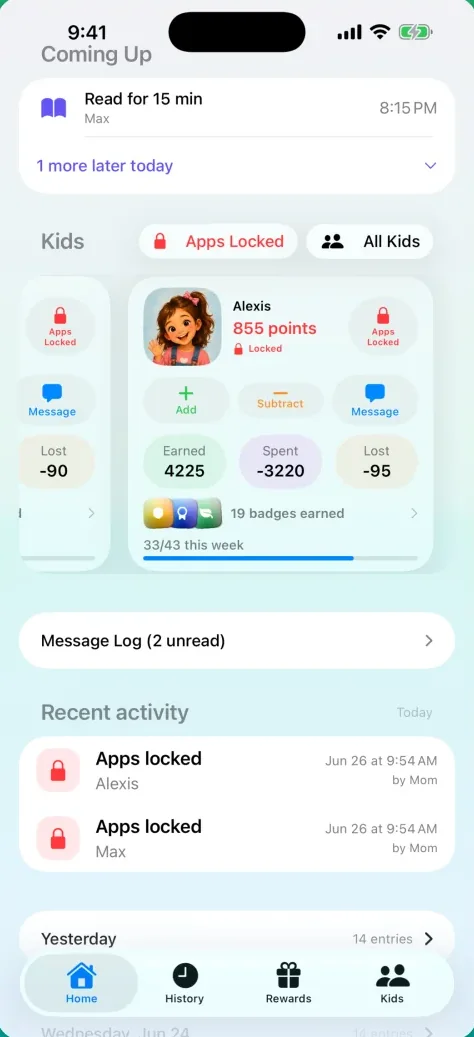
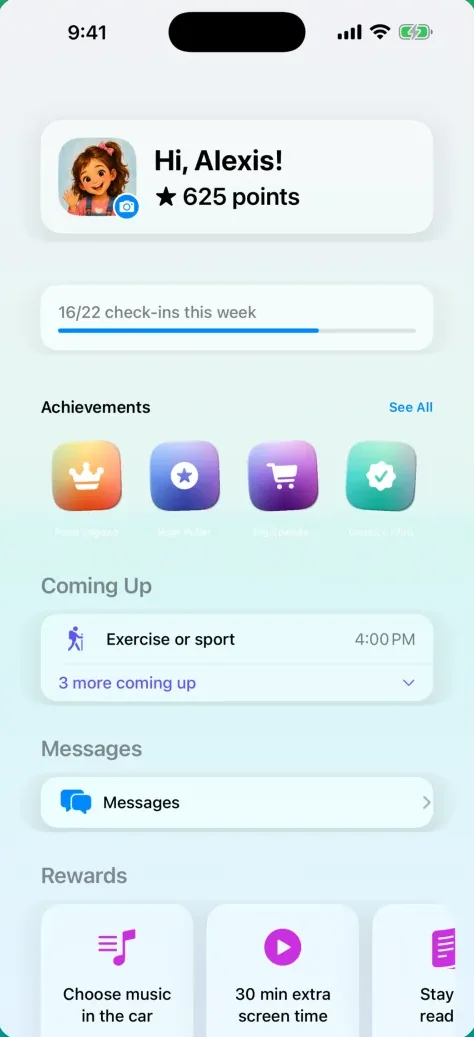
Kids earn points for what you ask of them, spend them on rewards you choose, and keep screen time inside your limits. Both parents, one honest record.

Join the beta — free

Free while we test, on iPhone with iOS 26. Nothing to cancel.

Get PointSprout on TestFlight

Scan with your iPhone camera, or tap the button if you're reading this on your phone. New to TestFlight? The tester guide walks you in.

No ads. No tracking. We never sell your data. After launch, one annual subscription covers the whole family. See a week with the Taylors.

Today

Wednesday
MMax 42 pts AAlexis 67 pts
  1. Morning Routine
    Max, 3 of 4, by Dad at 7:42
    +3
  2. Read for 15 min
    Alexis, by Mom at 7:51
    +1
  3. Feed the puppy
    Max, by Dad at 8:03
    +1
  4. 30 min extra screen time
    Max asked, Mom approved at 4:16
    −3
  5. Stay up reading
    Alexis, redeemed by Dad at 7:30
    −25
  6. Spotless, unlocked
    Max, four clean mornings in a row
    Badge

A week with the Taylors.

Max is nine, Alexis is eleven, and their parents share the app. Seven days, told through the screens they actually tapped.

Screens shown are from a summer build; the Taylors' own week is being photographed on the current one.

Sunday

Set it up in one sitting

Sunday night, kids in bed. Dad opens the app and tells it five things. Nothing here is final.

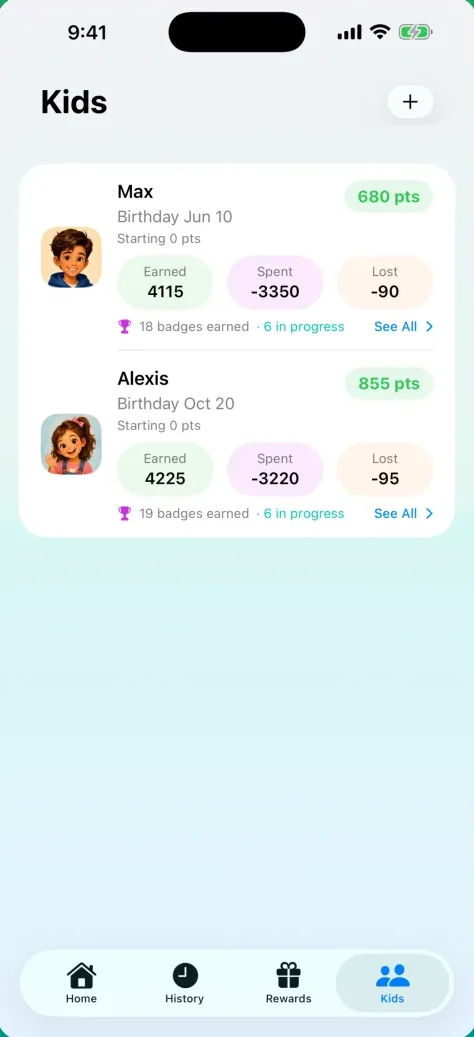
  1. Family. Max, Alexis. A co-parent and a dog.
  2. Schedule. Wake-up 7, dinner 6, bed 8. Check-ins land at times that fit.
  3. Responsibilities. Morning routine, Read for 15 min, Feed the puppy.
  4. Rewards. Stay up 30 min late, 25 pts. Prices follow what they earn.
  5. Invite. Mom's code is on its way.

Five steps, about three minutes. Everything can be changed later from the Family tab.
The family page with two kids The schedule: check-ins at times that fit the day The responsibilities presets The rewards shelf with prices The co-parent invite
Monday

The morning routine

7:40. Teeth, bed, backpack. Max says they're done, and Dad taps three times on his way out the door.

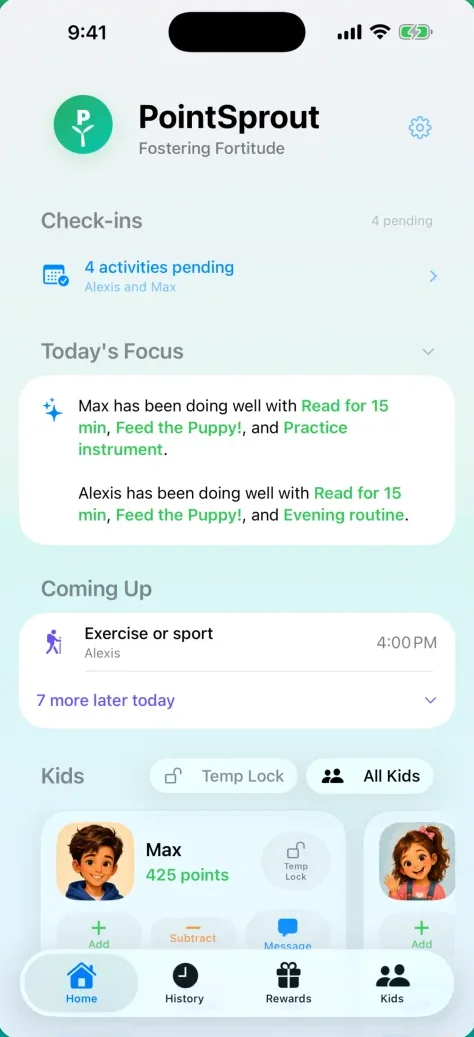
  1. Home shows what's waiting: 4 activities pending for Max and Alexis.
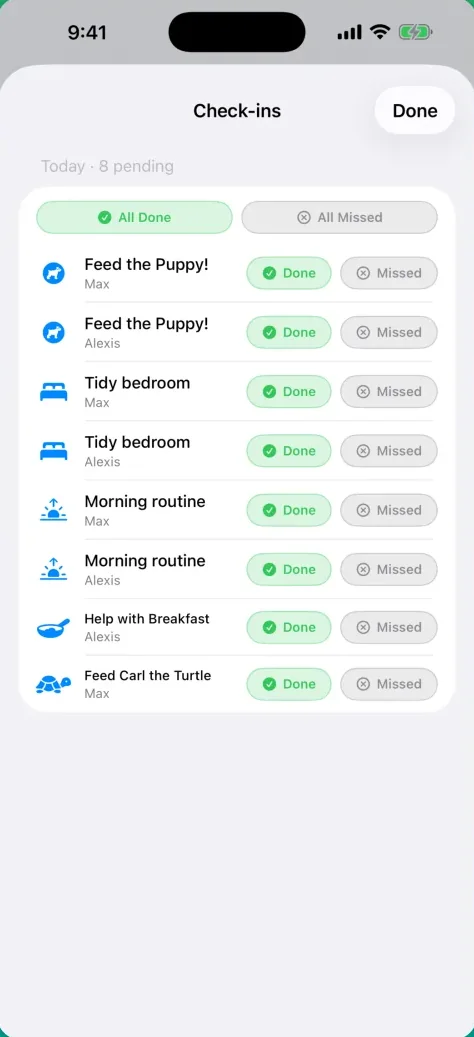
  2. The check-in sheet. Morning routine, Max, Done. One point, no typing.
  3. Two more Done. Reading waits until after school.
  4. Back on Home, Today reads Morning Routine, 3 of 4 and Max is up 3.

Mom's phone shows the same row at the same second. First to answer wins, so nothing is counted twice. At the bus stop, Dad answers the next one from his Apple Watch.

Home: 4 activities pending The check-in sheet with Morning routine answered Done Two more Done Home: Morning Routine, 3 of 4
Tuesday

"Can I have more time?"

4:15, homework done, Max wants his game back. The negotiation happens in the app, not the kitchen.

  1. Max's iPad: the shield. You need more points. He has 8 of the 10 the apps need.
  2. He taps Ask For More Time and picks 30 min for 3 pts.
  3. Mom's phone: the request on Home. She taps Approve.
  4. The shield lifts and a 30-minute timer starts. When it's up, the apps re-lock on their own.

You picked the apps, the threshold and the prices. He paid with points he earned this morning.

Apps locked below the points threshold Kid Mode: asking for more time The request waiting on a parent's Home Unlocked, with a timer
Wednesday

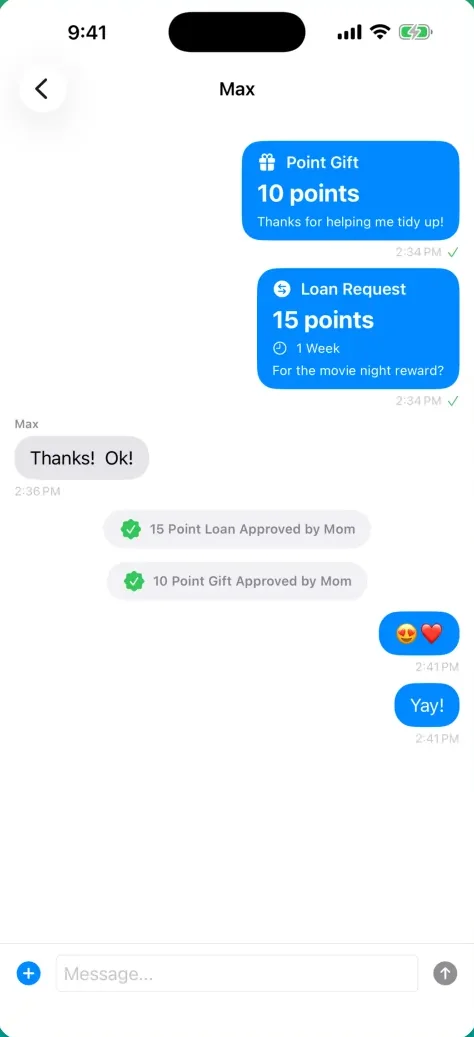
The sibling loan

Movie night is Friday and Max is 5 points short. Alexis has 67.

  1. Kid Mode, Max: Messages, Alexis, Request Loan. 5 points, 1 week, "For the movie night reward".
  2. Mom's Home: Transfer Requests. She taps Approve.
  3. The thread: 5 Point Loan Approved by Mom, and Alexis's "Yay!"
  4. History, a week later: Loan returned. It comes back by itself.

Gifts, loans and joint rewards between kids, with your approval if you want it.

A loan request in the kids' thread Transfer Requests on a parent's Home The thread: Loan Approved by Mom History: Loan returned
Thursday

A badge unlocks

Four clean mornings in a row. Thursday's check-in tips Spotless over the line.

  1. Kid Mode: Toothbrush Hero, 6 of 14, in progress.
  2. The check-in that completes it. Morning routine, Max, Done.
  3. The full-screen celebration, the first time a badge unlocks.
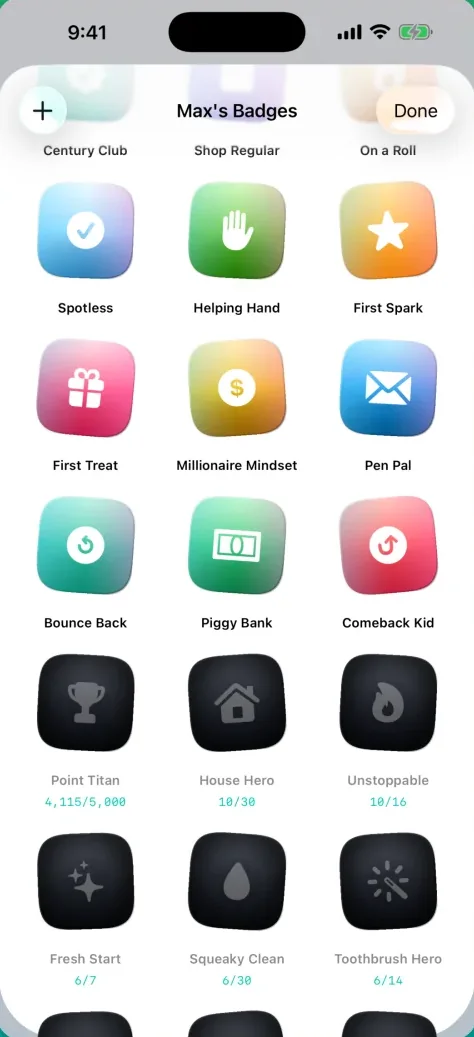
  4. Max's badge gallery: Spotless in colour, the next one dimmed with its counter.

Built-in badges for showing up day after day, plus the ones you make for your family.

Max's badges, with Toothbrush Hero in progress The check-in that completes it Kid Mode with the new badge The badge gallery: Spotless in colour
Friday

The reward shop

Alexis has been saving. 67 points, and "Stay up 30 min late" is 25.

  1. Kid Mode: Rewards. Stay up 30 min late, 25 pts, Request.
  2. Dad's Home: Reward Requests. The confirm shows her balance, 67 to 42.
  3. Approved. The thread gets a note and her balance drops.
  4. History: the redemption, by Dad, with Undo one swipe away.

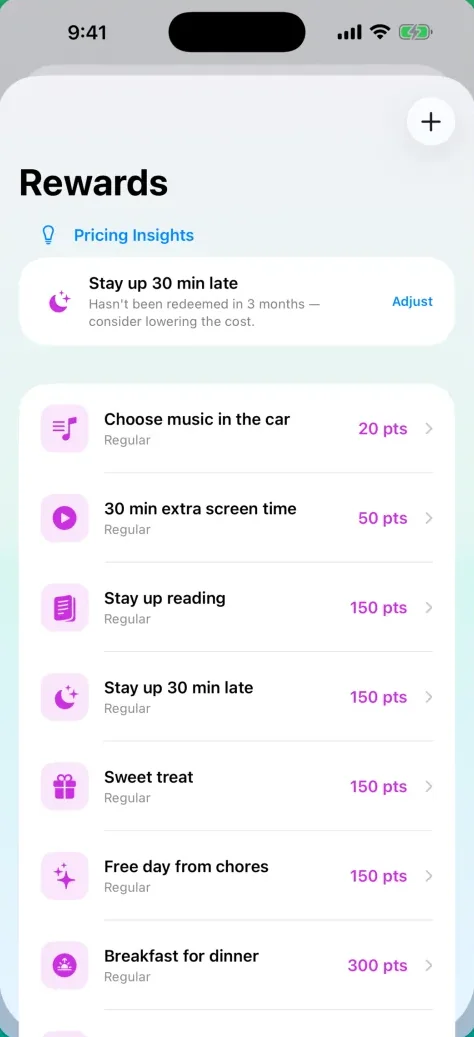
The shelf is yours: toys, treats, privileges, and what each one costs.

Kid Mode: the rewards shelf Reward Requests on a parent's Home The thread with the approval note History: the redemption by Dad
Saturday

Both parents, one record

Dad at the park, Mom at home. Two phones, one ledger.

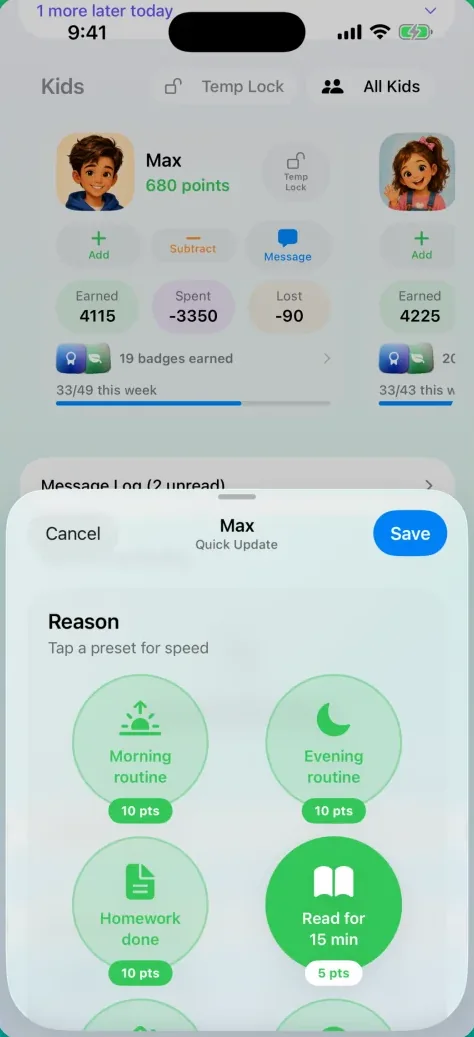
  1. Quick Update: Dad taps Add on Max's card, picks Helped at the park, Save.
  2. Mom's History: the row appears. +2, by Dad, 10:14.
  3. Dad meant Alexis. Swipe, Undo. The trail shows the correction; nothing is rewritten.
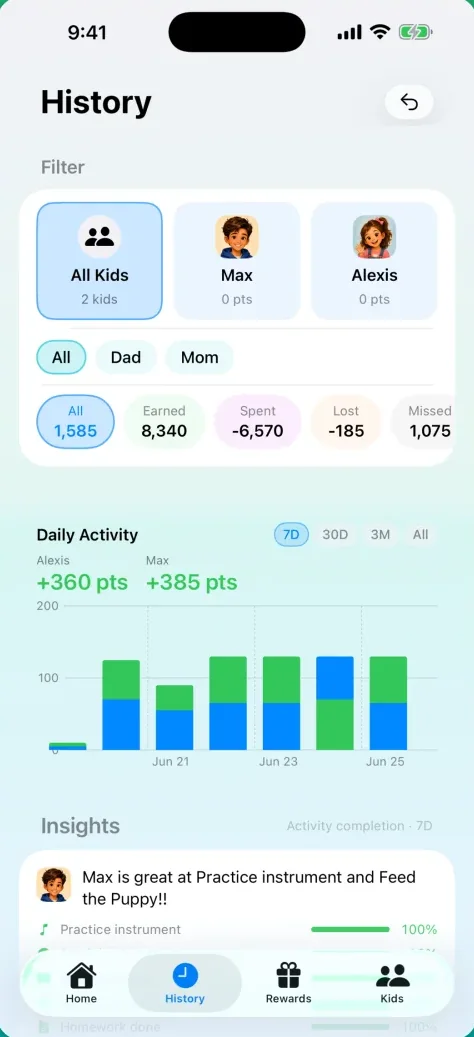
  4. History's week chart: both kids, both parents, every point accounted for.

Every change is permanent and signed. Made a mistake? Undo it, and the record says so.

Quick Update on Max's card The row on Mom's History The undo, shown in the trail History's week chart

What it's built on.

Points that mean something

Kids spend them on the toys, treats and privileges you put on the shelf, at the prices you set. During setup the prices follow what your kids earn, so a reward is always within reach and never free.

Screen time with real limits

Pick the apps and a points threshold. Below it, those apps lock on the kid's device through Apple Screen Time, even if PointSprout is closed. Kids can ask for more time and pay in points. You approve, or give time free.

Built to feel fair

Every point is a permanent entry with a name and a time on it. Both parents see the same record the moment it changes. Made a mistake? Undo it, and the trail says so instead of quietly rewriting itself.

Also in the box

  • Apple Watch check-ins
  • Make-up challenges for a missed day
  • Family messages
  • Badges you create
  • History with insights
  • Dark mode and Kid Mode looks
  • iPad

Privacy

We built PointSprout for our own kids. There are no ads in it, nothing tracks your family around the internet, and nothing about you is for sale. One subscription pays for the app and the servers behind it. If a feature would compromise your family's privacy, it doesn't ship.

Patrick, a parent. Cypress Avenue Design.

  • Sign in with Apple. A child's device signs in anonymously, with no account and no email.
  • Your family's data is shared only with the people you invite.
  • Delete the family and it's gone from our servers, every device, every record.

The whole policy: Privacy. What we store and how to delete it: Support.

One subscription, the whole family.

Co-parents, caregivers and kid devices join without paying again. After launch: fourteen days free, then one annual subscription through Apple, cancelled any time from your Apple account. Right now it's the beta, and the beta is free.

Join the beta — free

Free while we test, on iPhone with iOS 26. Nothing to cancel.

Get PointSprout on TestFlight

Scan with your iPhone camera, or tap the button on your phone. Then read the tester guide: how to get in, what to try, and where to send feedback.